Showing posts with label The SketchUp team. Show all posts

Friday, September 7, 2012

SketchUp gets a warm welcome in China

In mid-July of this year, intrepid world travelers John, Shara and Steve headed east to join Sophie Feng (one of our newest SketchUp team members) on a mission to learn more about folks in China are using our software. Here's a travelogue that Sophie put together to describe the trip.

When a journey begins, you generally have no idea how it’s going to end. The small talk that seems insignificant turns into a great inspiration. The strangers from another country you only knew by name become your friends, while the colleagues you just met become your family.

In June, we talked by Skype about a trip to visit SketchUp users in China, planned it, then worked toward making it happen. Despite that, I doubt my dear colleagues knew how long it was going to be until we were sitting in a prestigious architectural firm the first day they arrived in Shanghai.

July 9th: Shanghai EC Architectural Design & Planning Co. Ltd.

Users presented to us how they use SketchUp in their workflow. They showed off their design skills by making a beautiful SketchUp animation for us. A local government official also was invited to join the "SketchUp Dialogue".

John really enjoys drawing on the wall.

July 10th: Better SketchUp, Better Design at the Shanghai Salon

Many designers, mostly young, came to the event filled with hope. They were enthusiastic, intelligent, idealistic, and joined us from all over China (Beijing, Shanghai, Suzhou, etc.) One interior designer even came all the way from Taiwan to share his SketchUp ideas with us.

Our users tell their stories one by one.

We were curious as to how these young designers use SketchUp for such large projects, which are actually fairly common in China. One thing that was very important to all those at the salon: They really want to make sure that SketchUp would not change too much after the transition from Google to Trimble. One of the most impressive presentations of the day was a local developer's "BIM for SU”. One of our users developed a series of plugins for SketchUp that completed a specific BIM workflow.

On a yacht in Huangpu River, Shanghai. From left: 王韶宁 wang shaoning, developer (Beijing); Steve Dapkus; 潘毅 Panyi, Landscape Architect; 钟凡 Zhongfan, SketchUp-BIM user (Guangzhou); John Bacus; 陈建良 Chen jianliang, interior designer; 刘新雨 Liu xingyu, Urban Planner (Beijing).

July 10th & 11th: Wuhan

This was our first visit to a famous Chinese university: HUST (Huazhong University of Science & Technology) is the only institution to offer a Masters degree for BIM qualification in China. Professor Luo (the College President) told us that there were 8,000 construction sites in Wuhan last year. There's no doubt that BIM has a great opportunity in China, as does SketchUp’s role in a BIM workflow. My colleagues John, Steve and Shara found themselves feeling hopeful at this leg of the trip, against all odds due to jet lag, 43 degree Celcius heat and 90% humidity.


As the first national research Lab in China, HUST is glad to get new ideas from SketchUp as a BIM tool. In the afternoon, another interesting salon was waiting for us.

Our new friends shared lots of interesting thoughts with us. Shara looks better after she's had some coffee.

July 13th: Guangzhou

On our way to Guangzhou University, The U-BIM Company prepared a BIM and SketchUp conference for end users in Guangzhou. John added that “Maybe SketchUp is BIM for everyone” in his slides, and added that “SketchUp can do more than just visual representations." digitalarch, a SketchUp user in Taiwan, had explained this notion for us at the Shanghai salon.

We look fresh today. We are standing at the entrance of Guangzhou University.

SketchUp users always have a way of expressing their thoughts; a designer who is also a professional rapper told us he would write a Chinese rap for SketchUp. What a brilliant idea! I know it's been a long trip—10 days, 3 different cities, and my American colleagues were all anxious to get back to their sweet families. Let’s end our long trip with a poem written by Chen ling 陈玲, a young Shanghai landscape designer. When he told us that he believes that SketchUp changed his life and career, I saw his eyes light up.

Chen ling is a very talented designer. Look at the scale of these models!

Poem: Gratitude for SketchUp by Chen ling 陈玲

Translation:

Have been working in designing after leaving school
So lucky I met you—SketchUp in October 2004
You change my career
Because of you, I seize more opportunities.
Because of you, I am one of the youngest writers who can publish the book about you.
You give me so much, so much wonderfulness
You bring me so much, so much glory
Thanks a lot

Posted by Sophie Feng, SketchUp China Team

Tuesday, August 28, 2012

A brand new brand for SketchUp

Glance at the masthead of this blog and you'll know something's up. Our new graphic identity is only the most obvious of the changes we've made in SketchUp 8 M4. It's unusual for us to do four maintenance releases between major versions, but then, it's been a bit of an unusual year, hasn't it?

Our move to Trimble gave us an opportunity (and an imperative) to finally build a proper graphic identity for SketchUp. In many ways, this was one of my favorite short-term benefits of the acquisition; it always irked me that our tool, which is so good at making pictures, had a logo that consisted of its name typed out in a particular font. Blech.

Devoted students of SketchUp history (sketchupologists?) will recall that until March of 2006, our logo looked like this:

The most distinctive element of our original logo was its big, red U.

This kind of logo is known as a logotype or wordmark, meaning that there's no symbol attached to the word; the word is the logo. The trouble with using a logotype for a piece of software is that, most of the time, individual programs on your computer are represented by application icons that live on your desktop or in a strip along the bottom of your screen. SketchUp's icons have looked like this over the years:

SketchUp's application icons have, in my opinion, gotten progressively less good over the years. The last one (on the right) only appeared on Google's More > Even more page. None of these icons were ever really used as product logos.

The Google years brought several logos as we responded to successive top-down branding directives. None were particularly inspired, and none solved the we-need-an-icon problem, either.

Mostly SketchUp, then mostly Google, then side by side.

As we kicked off our new branding effort in June, we were determined to kill two birds with one stone: We would design a symbol (some people call it a "mark") that would do double duty as our product icon.

For the mark/icon itself, we were looking for a form that communicated a number of things. Less important were notions of informality and simplicity, though we obviously didn't want our symbol to convey stodginess or head-banging complexity. We focused on the notions of three-dimensionality, dynamism (movement) and perspective.

When we saw the sketch of the shape that would eventually become our icon, we knew we were on the right track. It's derived from a cube—which is the go-to symbol of 3D for apps like ours—but it isn't really a cube at all. The implied stairs or levels are an apt representation of our roots in architecture and other construction disciplines.

If you look closely, you'll notice the chevrons formed by the top surfaces even point "Up" in a nod to our signature tool.

Whereas application icons are often very colorful—with lots of fine detail, gradients and shading—corporate marks need to be much more flexible. They need to be able to scale up and down without looking smudgy or oafish; they need to be able to printed in a single color when necessary; they need to be readable on black, white, colored and photographic backgrounds; they need to be able to be reversed into white sometimes. The best logos look good no matter where you use them.

We decided it was best to stick to a single color. But which one? SketchUp's hue has shifted slightly over the years, but it's always been a flavor of red. As we looked at ruby and garnet, crimson and cadmium, burgundy and brick, we kept coming back to a desire for SketchUp's red to be as simple and positive as the rest of our brand. Our choice, Pantone 1795, is saturated, definitely not brown or purple, and stop-sign-visible at a thousand paces. I cheer up whenever I see it.

SketchUp Red is Pantone 1795 (a.k.a #e72b2d)

We chose a typeface called Whitney for the word "SketchUp". On the Comic Sans-to-Baskerville continuum of font gravitas, Whitney is friendly, professional and clean. Just like us, we think. To uniquify things a bit, we tweaked the ascenders and descenders to match the angles in our symbol. Setting them next to each other, we have the makings of the world's greatest t-shirt:

Our new typeface is Whitney.

For the rest of the SketchUp Pro family of applications, we derived icons from the SketchUp symbol. LayOut is represented by an orthographic top view of the stair-step shape. Style Builder is an outline of the mark, rendered with stylized edges. All three icons are SketchUp Red, which ties them together and sets them apart.

Did you notice the "L" in the LayOut icon?

Some of you are probably wondering why we didn’t just wait until SketchUp 9 to change this stuff. The answer is actually pretty simple. With the deadline looming on purging the old Google SketchUp logo from our product, we had three choices: lop off the first word and hobble along without a real graphic identity; come up with an interim solution; or go through the difficult but worthwhile process of solving the problem once and for all. The first option was totally unsatisfying, the second caused more issues than it solved, and the third offered us the opportunity to make a fresh start. It was an easy decision.

And because this is a full-fledged maintenance release...

...we continue to squash bugs and make SketchUp hum along as best we can. Mosey on over to the SketchUp 8 M4 Release Notes page to see a list of everything that’s better now.

Monday, August 27, 2012

3D Basecamp 2012: Registration Opens Tomorrow!

3D Basecamp is the world’s premier gathering of SketchUp people. Part user conference, part pep rally, this year’s edition is set to take place in our hometown of Boulder, Colorado on October 15th, 16th and 17th.


Registration opens Tuesday, August 28th at 10:00 AM MDT (GMT -6:00)

With fewer than 150 spots available, we expect Basecamp to fill up quickly. If you're planning to join us, might I suggest setting an alarm on your phone for when registration opens. Be there or be cube! (Because a cube is a square in 3D. Har har!)

To register, and to learn all about Basecamp, please visit our event website:


Good luck, and see you in Boulder!

Posted by Aidan Chopra, SketchUp Evangelist

Tuesday, August 7, 2012

Save the date for 3D Basecamp 2012

If you sometimes try to orbit the spreadsheet you're working on, you're one of us. If the phrase "Follow Me that profile along this edge" makes sense to you, you're one of us. If building a model is easily the best part of your workday, you're one of us. We're people who really, really like SketchUp, and every couple of years, we get together to meet, learn and be inspired.

The fourth-ever SketchUp 3D Basecamp is scheduled for October 15, 16 and 17 of this year. It's happening in our hometown of Boulder, Colorado, and everyone's invited. We haven't ironed out all of the details yet, but we thought we'd let you know so you can mark your calendar. It's the most fun you'll have this year.

Want us to let you know when more information is available? Click the red button!

The video below is a recap of the goings-on from our last 3D Basecamp in 2010. As you can see, a great time was had by all:


Saturday, July 14, 2012

Office SketchUppification proceeding nicely

The good news is we're working really, really hard on the next version of SketchUp. The bad news is that doesn't leave a lot of time for decorating our temporary office space. I'm afraid we're only about half done printing out and pinning up all the beautiful work you sent in response to our appeal from last month. All the same, here are some shots of the office as it looked today. It's getting there, I think. (I took these photos on Saturday, which is why the place looks so empty.)

I thought it would be nice to share a gallery of the images you submitted, too. THANK YOU to everyone—almost a hundred people so far—who sent us something. Your pictures (and kind words) keep us focused on what matters.


The SketchUppers whose images appear above told us it was okay to share their work on our blog.

The temporary office pictured above is actually only three buildings away from our permanent location on the east side of Boulder. In the new space, we'll have the whole second floor to ourselves; our downstairs neighbors are the Garmin-Sharp pro cycling team.

Our current office and the one we'll be moving into in a few months are only a short distance apart.
A gradient filter makes the sky over our office park seem more ominous than it really is.
Most of the windows in our future office look west at the Flatirons, Boulder's most recognizable natural landmark.

Remember how I was bragging about our fancy new espresso machine a few weeks ago? Andrew and John managed to get it working for a couple of days, but then something happened, and now it's hors service. It turns out that a professional coffee behemoth like ours is only slightly easier to operate than an intergalactic starship. Here's hoping that the Caffeination Fairy grants our collective wish—and soon. I saw Jody asleep in the stairwell on Thursday.

So close, and yet so far.

Posted by Aidan Chopra, SketchUp Evangelist

Monday, June 11, 2012

Wanted: SketchUp eye candy for our walls

It’s been a week since we moved into our new office, and the walls don’t seem to be decorating themselves:

Our Welcome Area is currently less than welcoming.
Nancy shows off her bowling trophy. Note the bare walls in the background.
This wall looks like something Mark Rothko threw up.
Minimalism is for weenies. Long live ornamentation!
Here’s what we’d like you to do: Send us your best-looking SketchUp images so that we can print them out and hang them up. As we get to work on the future of our beloved product, we want to be positively swimming in visual inspiration. Drowning in it. When visitors come to the SketchUp Mothership, we want their eyes to pop out, dance the Charleston, sing Hallelujah and burst into flames. Inundate us with your imagery.

Stylistically, anything goes: raw SketchUp, photo-renderings, LayOut files, pictures of 3D printed stuff—we want it all. And we’re planning to print BIG, too. The last thing we grabbed as we headed out the door was a mammoth HP plotter; it prints 36 inches (about a meter) wide.


This plotter yearns for your SketchUp deliciousness. Note: In a grand stroke of irony, someone (who shall remain nameless) has accidentally plotted out the instructions for setting up a networked printer.
Please email your images to us at sketchupblog@gmail.com. Make sure that the images you send are of sufficient size: about 3000px should do nicely, packaged as JPEGs. Lastly, please include the phrase “SketchUp Wall Candy” in the subject of your email. After we’ve had time to decorate, I’ll take some pictures and blog again. Help us un-ugly our temporary space!

On another note, something momentous occurred today. Scott (our old boss, and now the Boulder Site Director at Google) brought us a housewarming present: a beautiful, new espresso machine. I think I'll top off my first doppio with a doppio; productivity is about to soar. 

John (left) is crazed with relief as the new espresso machine is unwrapped. Tom (right) finds a better home for our previous caffeination solution. We have Scott (on behalf of our old friends at Google) to thank for our soon-to-be soaring productivity.
Posted by Aidan Chopra, SketchUp Evangelist

Thursday, June 7, 2012

Moving onward, moving in

Monday morning, Sandra and I (the token married couple on the team) drove right past the Google office on our way to work. It's a new day for SketchUp, and for the SketchUp crew. With “the deal” officially closed, all 30+ of us have moved to a building that will be SketchUp Worldwide HQ—for about three months, at least. They're building us a brand new office right here in Boulder, Colorado; until it's ready, we're in temporary digs.
John (our fearless product manager) and Susan (the scale figure in every new SketchUp model) are neighbors here in Temporary Cubeland.
Laura (and her million-dollar smile) helps customers from the Sales Quad.
We sent an expedition out to buy nerd toys for the office. Mission accomplished.
Our QA (Quality Assurance) lab includes Brad, who looks surprisingly lifelike for a robot.
The engineering team has been working out.
Our new office has lots of empty space. Floor hockey, anyone?
My Junk Fort (accumulated over eight years, three companies and four offices) keeps Tyson at a safe distance. Tyler and Jody gossip in the background.
Simone demonstrates why he's the new QA manager by crawling under his desk to plug something into the adjacent wall.
The Tent Room makes dedicated outdoorsmen like Mark feel right at home.
We have a couple of billion pairs of socks with the wrong logo on them.

Our new friends at Trimble have bent over backwards to make us feel welcome. Punching in on Monday, we all found shiny new computers on our desks. Last week I was using a three-year-old laptop with a broken USB port, a twenty minute battery and a Yucatan-sized dent. Now I'm rocking a 15" Macbook Pro with a half-terabyte solid state drive and 22-inch rims. I'm ashamed to admit it, but my new hardware makes me feel taller.

Igor, Andrew and Tyler spent last week in California working on the transfer of SketchUp's intellectual property from Mountain View (Google) to Sunnyvale (Trimble). Even in this era of Wi-Fi and bluetooth and NFC and Dropbox and general cloud worship, the best way to make sure SketchUp's bits and bytes moved safely from seller to buyer was to load the whole shebang onto a couple of monster hard drives and chauffeur them down the freeway.

Igor (tennis sweater) and Andrew (fauxhawk) with two members of Google's IT staff outside of Trimble HQ with armfuls of SketchUp source code. Horse and buggy not visible in this frame.

One last thing: I know that lots of you are concerned about how things are going to go now that we’re part of Trimble. The outpouring of “Don’t hurt my SketchUp!” sentiment after we made the announcement in April was completely understandable—and completely understood. You’ll have to take our word for it, but so far, things are looking good. If the way our team has been treated provides any clues (and I think it does), SketchUp’s future is very bright, indeed. The folks at Trimble “get it” in a way that’s hard to explain.
At the risk of sounding like a suck-up, the Trimblers I’ve met are kind, generous, smart and above all, genuinely well-meaning. A few of them have even joined us at the new office for the summer; that didn’t happen in 2006 when Google bought us. In the next month or so, I’ll use this blog to re-introduce some of the SketchUp team, as well as the other Trimble folk who are working closely with us.

Posted by Aidan Chopra, SketchUp Evangelist

Friday, May 20, 2011

Join us at Maker Faire

[Cross-posted from the Official Google Blog]

Creativity at Google isn’t just limited to the time we spend in front of our keyboards—many of us are also enthusiastic about making things with our hands. At our Google Workshops, for example, employees have the chance to use sophisticated tools and machines to physically prototype their ideas. The Street View trike and several components of our self-driving cars were built in these workshops. It’s also not unheard of for Googlers to build their own zip-lines, perform crazy experiments with giant lenses and just get plain silly.

This weekend, we hope to bring this spirit of creativity and experimentation to attendees of Maker Faire Bay Area, whose mission is to "celebrate arts, crafts, engineering, science projects and the Do-It-Yourself (DIY) mindset.”

Our own Maker Faire theme is simple: “Dream, design, build. Repeat.” At the event, we’ll demonstrate how Google technologies, like SketchUp and the Android Accessory Development Kit (ADK), can help you take your project from idea to object.

Design of our booth made in SketchUp

In keeping with the DIY vibe, our booth was constructed three full-size recycled shipping containers and outfitted with big screen TVs, 3D printers, CNC cutters and, most importantly—robots! Folks from the Google SketchUp team and the newly-formed Cloud Robotics team will be on hand to walk you through the steps of of designing, fabricating, building and programming your own robot.

SKPR Bot

Our booth will also have demos, games, giveaways, hands-on activities for both kids and adults and talks from folks like MAKE Editor-in-Chief Mark Frauenfelder. And to top it off, we'll open Maker Faire each morning with an Android-powered weather balloon launch at 10:00 am PDT (weather permitting).


See our Google at Maker Faire site for a full schedule of Google events, and make sure to follow @sketchup on Twitter for updates throughout the weekend.

Fellow Makers—we hope to see you there!

Tuesday, May 3, 2011

Mapping the BolderBOULDER in 3D

[Cross-posted from the Google Lat Long Blog]

The BolderBOULDER is one of the United States’ biggest 10K road races. Last year, more than 54,000 people participated, including several members of the SketchUp team and plenty of other Googlers from the Boulder office—after all, it’s right in our backyard.

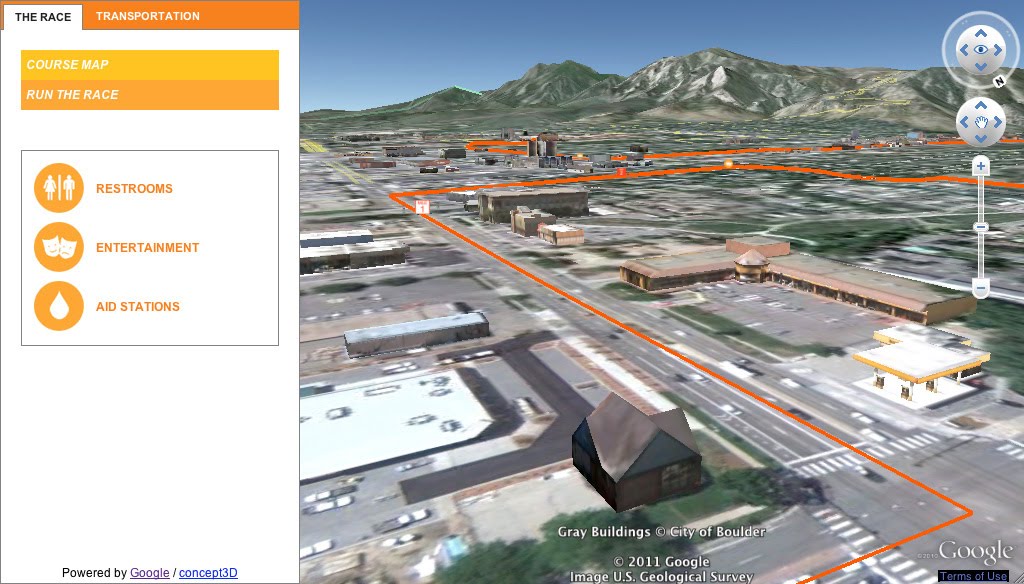
Back in January, a group of us met with the race’s organizers to figure out ways that our geo-technology might play a role in this great local tradition. Our team ended up putting together a couple of nifty 3D maps that should help everyone (runners and spectators) get their bearings ahead of race day on May 30th:

The 3D Course Map lets you preview the race route in Google Earth.

We used the Google Earth API to embed an interactive course map on BolderBOULDER’s website. With the Google Earth plugin installed, you will be able to see hundreds of 3D models of the buildings along the course, as well as special race day structures we modeled just for the event. Be sure to click “Run the Race” (in the upper-left corner of the screen) to take a guided tour of the course.

The Transportation Map provides information about getting to the race.

To help folks get to and from the race, we used the Google Maps API to embed a map with information about public transportation options, road closures and parking.

Whether you’re planning to join us in Boulder or just perusing the course from afar, feel free to explore the maps we built. No running shoes required, and no one’s keeping time.

Posted by Kay Chen, Geo Program Manager

Tuesday, January 18, 2011

The 3D Philippines Initiative

We recently made a trip to Manila to help out with the 3D Philippines Initiative started by COMMDAP. The initiative’s goal is to create an entirely 3D Philippines using Google SketchUp and Google Earth so that information can be shared and experienced in a richer way than with just a basic map. It was an action-packed three-day schedule.

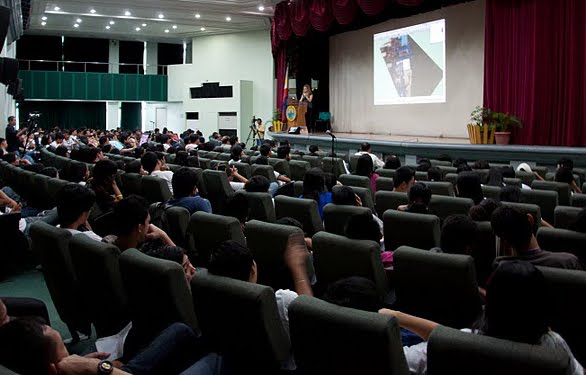
The first event was a general geo-modeling presentation for students and teachers at the University of Makati, which was part of the school’s “Technology Week”. The second event was a presentation to the Google Technology Users Group of the Philippines on geo-modeling and becoming a Geo 3D developer.

Me (Nicole) onstage presenting the basics of geo-modeling

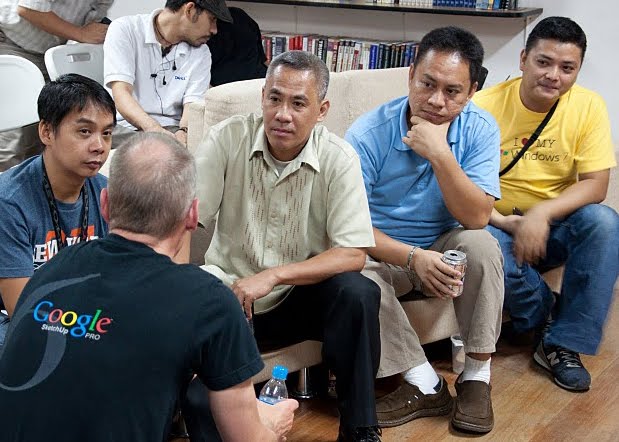
Bruce Polderman answering questions about certification for Geo 3D developers

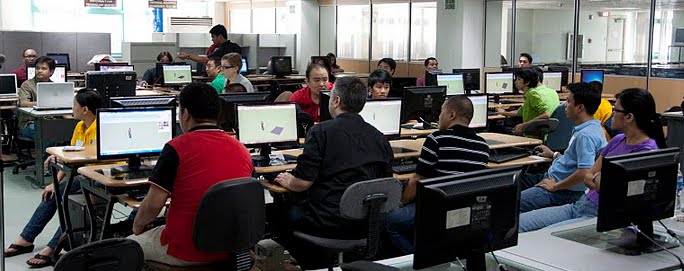
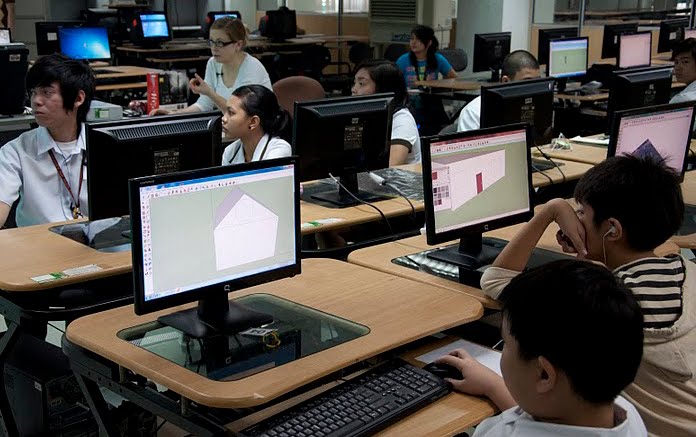
Next, we held two full-day workshops at the university: one for educators and trainers and one for students. These workshops focused on developing basic modeling skills by means of an introduction to SketchUp, but we taught aspects of photography, photo editing, and other techniques specific to geo-modeling as well.

Teachers' workshop at the University of Makati

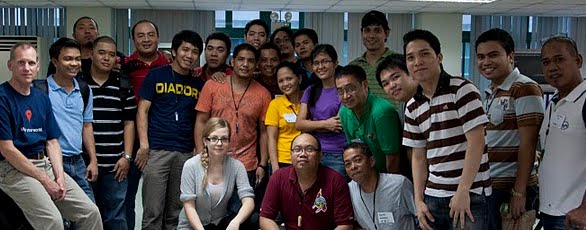
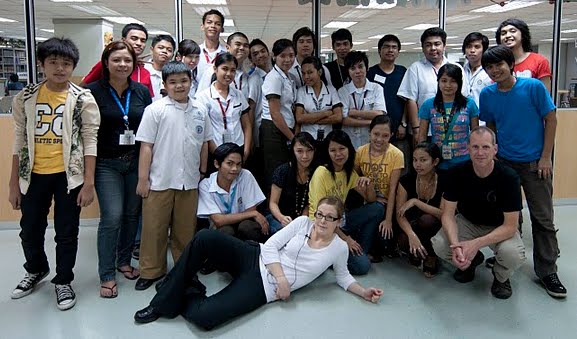
Group photo with the teachers

Students' workshop at the University of Makati

Group photo with the students

Concurrently, COMDDAP was hosting the Manila Expo 2010. There, they had a designated area where visitors could learn about Google Earth and explore the virtual globe both on a standard computer AND on a super-cool interactive touch-sensitive projection white board.

Now THAT'S a touch screen!

Take a look at this photo album for more pictures of our visit to the Philippines.

Related Posts Plugin for WordPress, Blogger...